Manage Bulk Payments In One Go

Our bulk transfer feature lets you pay multiple beneficiaries at once using simple, flexible methods.

Pay Multiple Beneficiaries, Your Way

Save time and clicks with flexible payment methods designed for your convenience.
Instant Payment Processing
Send payments to 10, 100, or 1,000 beneficiaries at once. Save time and avoid manual entry.
Flexible
Data Entry

Choose how you want to prepare each batch: upload Excel, enter details, or select from your beneficiary list.

Smart Validation & Error Checks
Built-in checks flag missing info or errors before posting, with real-time prompts so every payout is accurate.
Simplify
Record Keeping
Set amount-based approval rules to automatically flag and control excess spending.
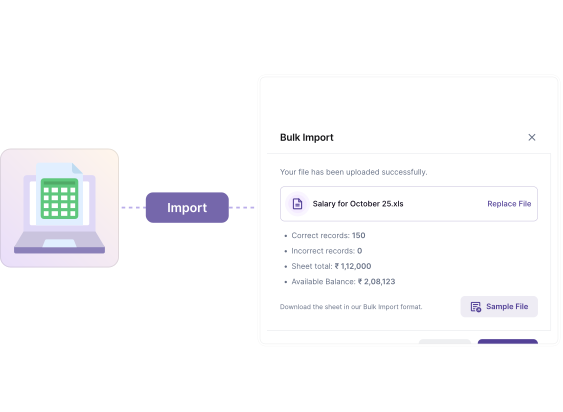
Upload Your File
The power-user's choice for high-volume payments.
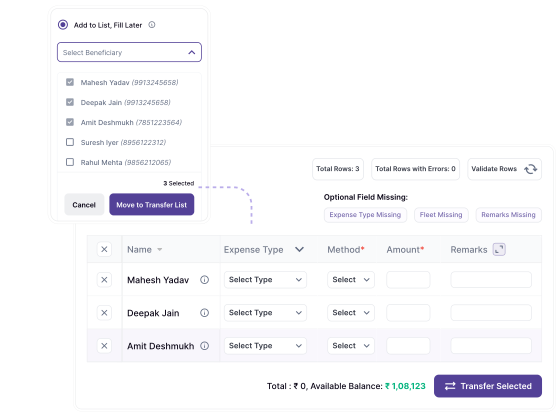
Add to Batch List
The structured method for building payments step-by-step.
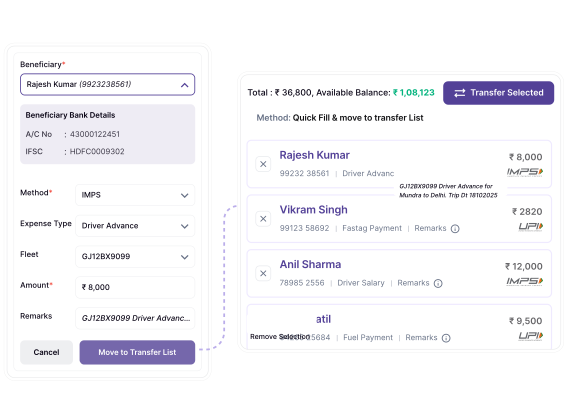
The Quick: Multi-Select & Pay
Your fastest path to paying a group of beneficiaries

Join Hundreds of Happy Customers

See how Logixpay simplified their operations and finances for their customers.

Frequently asked questions

Everything you need to know about the product and billing.
What is the Bulk Payout feature and how does it work?

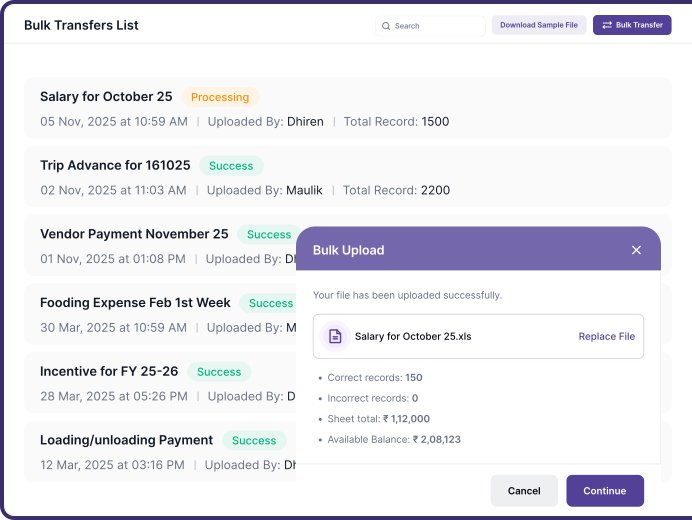
The Bulk Payout feature allows you to process hundreds of individual payments simultaneously instead of making them one by one. You simply download our standard Excel/CSV template, fill in the payment details (beneficiary, amount, and fleet number), and upload it back to the LogixPay dashboard to execute all payments at once.

Yes. You can use our Multi-Select feature where you can prepare a list of transactions directly on our system without a need of preparing an excel sheet.

Our system performs an automatic "Pre-Check" before processing. If there is an invalid entries in a specific row, LogixPay will highlight the error for you. You can fix the specific error without having to re-upload the entire file.

Absolutely. LogixPay uses IMPS and UPI rails to ensure that once you click "Approve" on a bulk file, the money is moved instantly. You will receive real-time status updates for every single transaction within the batch.

After a bulk upload, the dashboard provides a detailed "Batch Report." You can see exactly which payments were successful and which (if any) failed due to bank-side issues. You can also download a summary report for your accounting and reconciliation.

Ready to Save Hours on Payouts?

Eliminate manual payment processing with our bulk transfer solutions.